Sunday, September 11, 2011

DIY @mention constellations, Part V

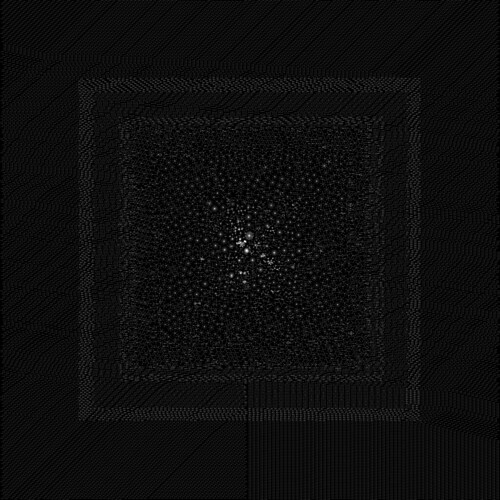
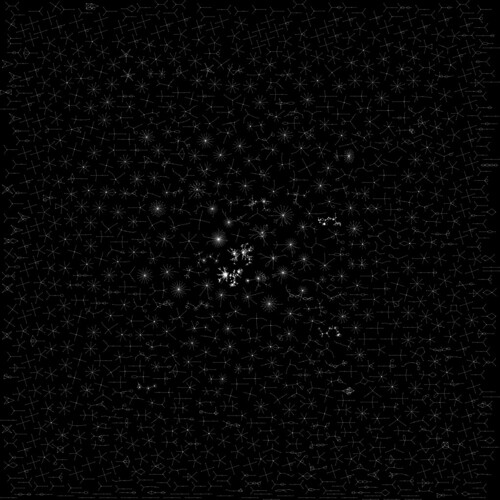
Last time we got as far as sourcing bulk data from the Twitter Streaming API and producing (over the course of several hours compute-time) a beautiful set of constellations like this:

Full Mention Graph
upon which we wondered:
  • how can we make the rendering faster?
  • how can we get rid of the fairly dull stuff around the edge?
  • how can we get a more detailed view of the center?

It turns out that there's one part of Graphviz which addresses all of these questions: ccomps.

Graphs like this are made up of a finite number of connected components. You can think of these as the distinct separable mention islands which make up the diagram. What if there were a way to plot only the n largest of the connected components? What if there were a way to plot the single largest connected component? Turns out that there is.

Graphviz, as well as having tools like dot and sfdp and neato for plotting graphs, also includes a tool called ccomps which can separate out the connected components of a graph.

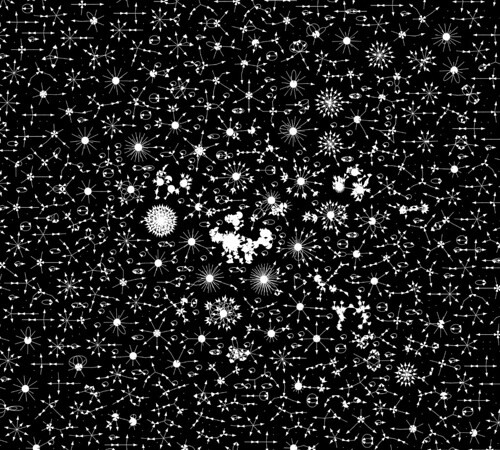
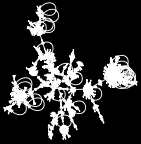
Let's start by picking out the blob at the center of our big graph. Zooming in, it looks like this:

Ccomp0 small
so let's take our file mention-graph.gv and pass it through ccomps before rendering it:
ccomps -zX#0 mention-graph.gv | sfdp -Gbgcolor=black -Ncolor=white -Ecolor=white -Nwidth=0.02 -Nheight=0.02 -Nfixedsize=true -Nlabel='' -Earrowsize=0.4 -Gsize=1.5 -Gratio=fill -Tpng > ccomp0.large.png
which (in mere seconds!) gives us
Ccomp0 large

Here we used ccomps -zX#0 to pick out the zeroth connected component of the graph defined in mention-graph.gv, ie. the largest one.

That was easy. The other two birds, making the rendering of the big graph faster and removing the dull stuff around the edge, we kill with one stone. We use ccomps to pick out the largest 1,001 connected components of the graph and plot only those:

ccomps -zX#0-1000 mention-graph.gv | \
grep "-" | cat <(echo "digraph mentions {") - <(echo "}") | \
sfdp -Gbgcolor=black -Ncolor=white -Ecolor=white \
  -Nwidth=0.02 -Nheight=0.02 -Nfixedsize=true \
  -Nlabel='' -Earrowsize=0.4 -Gsize=75 -Gratio=fill \
  -Tpng > ccomp0-1000.large.png
which gives us this graph, comparable to the original but with a render time in seconds instead of hours:
Ccomp0 1000 large

You'll notice that we snuck a little trick in there, which was flattening the output of ccomps using grep|cat<(echo). That little one-liner takes a single graph composed of many wholly connected subgraphs and flattens it to a single graph of many connected components. There's no structural change to the graph but a flat graph renders more quickly.

There are a couple other tricks you'll learn to use too:

  • separate layout (sfdp) from rendering (neato -s -n2)
  • use tee to save the output from stages in a pipeline
and you'll notice that mention-graph.sh does these things as well as the flattening trick (if you're interested you can take my sheel script apart to see how it works in detail). Separating layout from rendering is a powerful technique if you want to first lay a graph out and then colorize it or label it before rasterizing.

Something you'll want to play with as well (particularly for graphs larger than a few million edges) is removing certain nodes, particularly those with either a high degree (eg. remove accounts which are mentioned a lot) or a low degree (eg. remove accounts that are mentioned only once or twice). In the beginning I used SQL to do this min/max pruning but eventually got bored of waiting for SQL and wrote some Python instead.

This is pretty much the end of the @mention constellations series. I've had enormous fun generating these graphics, developing these techniques, learning and teaching along the way. It gives me huge satisfaction to see that @ialexs has picked up on this work and is taking it to the next level with such beautiful creations as this.

Saturday, August 27, 2011

DIY @mention constellations, Part IV

So far there's been

and now we're going to take a look at applying Graphviz to large Twitter mention graphs.

Getting the data is easy enough: see the embedded 39-line Python script in the sample code. So let's say you run that Python code to give you 50,000 random mentions from the Twitter firehose. Let's say that having done that, having sort'd and uniq'd, and added a one-line header and one-line footer you have, like I do, a 47,375-line file which begins with

digraph mentions {
"0001am_" -> "kaaly_"
"000eca000" -> "000eca000"
"000eca000" -> "kira_moka"
"000parra" -> "amolosflips_"
"00_dag" -> "nishinoakihiro"
"00alliesmeaton" -> "caitlanpratt"
"00kuro" -> "sena1029"
"00nelht" -> "gvwriters"
"00rico00" -> "tsubo0307"
and ends with
"zwackleby" -> "gauravh1"
"zxicee" -> "parnnnparnnn"
"zyhafiyah" -> "amyshaheera"
"zyhnlyh" -> "elsaaps"
"zymecca" -> "wowkonyol"
"zz0_ee" -> "becky_aisha"
"zzangfia" -> "somin_somu"
"zzz_ho" -> "dewwanna"
"zzzoob" -> "ko5712"
}
that is, you have a directed graph in DOT format representing unique mentions amongst a random sample of 50,000 from Twitter.

Having seen how simple Graphviz is, you'll probably render a graph directly from this file, with a command like

sfdp -Gbgcolor=black -Ncolor=white -Ecolor=white -Nwidth=0.02 \
    -Nheight=0.02 -Nfixedsize=true -Nlabel='' -Earrowsize=0.4 \
    -Gsize=75 -Gratio=fill -Tpng mentions.gv > mentions.png
from which you'd get this image, after waiting a long long time (on my machine about four hours):
Full Mention Graph

Most likely you'd be agog, like I was when I ran this process for the first time. And then, like I did, you'd wonder how to make it faster and how to get rid of the fairly dull stuff round the edge. You might also wonder, like I did, what's inside that blob in the center.

That's for next time.

Next: Part V

Sunday, August 21, 2011

DIY @mention constellations, Part III

So you checked out Part I and Part II, no doubt. You probably installed Graphviz, maybe you tried out the shell script I posted on pastebin, and perhaps you have your own one of these now:

Basic Mention Graph

If so, nice going. This post is going to dial it wayyy back and start at the beginning working with some basic Graphviz functionality.

Graphviz is a suite of software tools for working with graph data, where you can think of a graph as a set of nodes, some of which are connected by edges. At its most basic a graph is a bag of dots with a bunch of lines connecting some dots to other dots. As you'll see, there's more than one way of representing this visually

But talking of dots, Graphviz works with data assembled into a format known itself as DOT. Here's an example of a graph defined in the DOT language:

digraph basic {
    x -> y
    y -> x
    y -> z
    z -> a
    z -> a
    a -> x
}
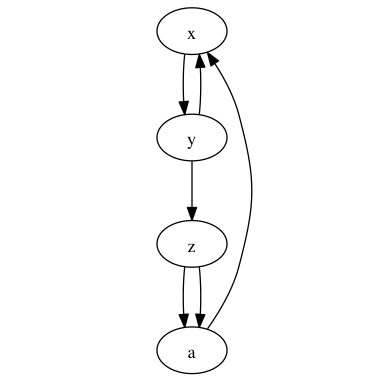
It defines a graph where the nodes are identified by the letters x, y, z and a.

Save the above graph definition as a text file called basic.gv (Graphviz documents have extension .gv by convention); we're going to use the basic Graphviz commands to visualize this graph in different ways.

At the command line, run this:

dot basic.gv -Tpng > basic-dot.png
and here's what you'll get as output:
Basic dot
Simple! This represents our graph perfectly. Try this:
neato basic.gv -Tpng > basic-neato.png
to get
Basic neato
And then there's twopi and circo:
twopi basic.gv -Tpng > basic-twopi.png
gives
Basic twopi
and
circo basic.gv -Tpng > basic-circo.png
results in
Basic circo

Finally, we're going to add some styling options to the graph. Run this command:

circo basic.gv -Gbgcolor=black -Ecolor=yellow -Earrowsize=0.3 -Epenwidth=0.4 -Nlabel='' -Nwidth=0 -Nheight=0 -Nfixedsize=true -Gsize=4 -Gratio=fill -Tpng > basic-circo-options.png
to get the output
Basic circo options
You can see how this works. The -G options apply to the whole Graph. The -N options to the Nodes and the -E options to the Edges. There's online documentation covering all the various options.

Now imagine that rather than basic.gv

digraph basic {
    x -> y
    y -> x
    y -> z
    z -> a
    z -> a
    a -> x
}
we have instead a graph representing Twitter users @mentioning each other. In the next post we'll look at how we could apply Graphviz to that.

In the meantime, here's where you can ultimately take this. A 369 megapixel graph of the largest connected component amongst 30m mentions on Twitter, with the most active 80k users removed. I'm working on identifying the clumps; I suspect that they're geographic or language regions.
Next: Part IV

Thursday, August 18, 2011

DIY @mention constellations, Part II

At work I wrote a document entitled "Pig for Dilettantes and Cargo-Culters". If you're the kind of person who's at least once used Terminal.app on the Mac, but know little about distributed computing or Twitter's big data schemata, then following the steps in that document is probably the fastest way to get to the point of being able to extract meaningful data out of the Twitter Hadoop cluster. From there you can explore, tweak the scripts, and eventually you'll be able to get the data that you're actually interested in.

In a similar vein I present this post. If you've never opened Terminal.app on the Mac then this probably isn't for you. If you know basically what's going on at the command line, and you're a hardy explorer/experimenter, then read on.

First of all, I presume you've read Part I and have installed Graphviz. Both are required, I'm afraid. Not strictly required is a Mac, but if you're running something other than OS X then you're likely going to need to make some small adaptations for your platform.

So, with Graphviz installed, check out the mention-graph shell script I put on pastebin. Copy it, save it to your Mac as mention-graph, chmod +x it, and you're set.

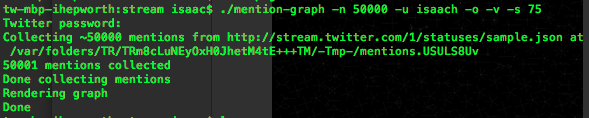
Using this script, I just ran a constellation of 50,000 live mentions from the Twitter Streaming API, 75 inches square (72 dpi), by running "./mention-graph -n 50000 -u isaach -o -v -s 75":

Screen shot 2011 08 18 at 11 26 16 PM
and here's the output it dropped as mention-graph.png:
Basic Mention Graph

You need to supply your Twitter credentials (the above command, which you should edit to use your own username, will ask for your password) and note that this script sends them in the clear to Twitter. If this worries you then feel free to either edit the script to meet your security standards, or create a Twitter account dedicated to this kind of use, separate from your primary account.

Next time: what this all means and how to take it further. In the meantime, let me know on Twitter how you get on.

Next: Part III

DIY @mention constellations, Part I

People really enjoyed the mention constellation thing. I'm chuffed that on Twitter I've received Tweets about it from five continents, and the thing's been written about by friends and strangers alike. People at work liked it too, which means a lot to me.

A couple of questions I got stood out: (a) can I get the data?; and (b) can I get the code?

The answer to both is yes!

I'm going to do two things. First of all I'm going to post a complete, free, end-to-end solution for generating something like this:

Basic Mention Graph
Secondly, I'm going to explain how the code works.

First of all, though, you need to install Graphviz. It's straightforward, especially on a Mac. Go!

Next: Part II

Sunday, August 07, 2011

About the @mention constellations

Update: find out how to make one of these.

So, about this @mention constellations stuff.

The FAQ:

  • What exactly am I looking at? The main visualization is a map of Twitter mentions on June 21st. Each dot is a Twitter account. Each arrow dot-to-dot illustrates one account mentioning another. Despite the scale of the diagram the underlying dataset is relatively tiny: less than 10 minutes of conversation.
  • Why do some accounts seem to mention themselves? Occasionally accounts do actually mention themselves.
  • Can I get the data? Behind this visualization of June 21st in particular? No. In order to make the same thing from another day? Sure, you can get more than enough data to produce these things for free from the Twitter Streaming API.
  • What's the blob in the middle? Technically speaking it's the largest connected component of the mention graph. I just uploaded a detailed look inside it.
  • What software did you use to make this? Mainly Graphviz.
  • Sure, but how exactly did you make it? I took a sample of Tweets from Twitter's internal Hadoop cluster. I used a tiny Python script to extract the mentions. I loaded the data into a local MySQL instance. I queried MySQL for a sample of the mentions. I formatted the sample into dot using Perl and I laid out and rendered a PNG using Graphviz.
  • Is this your job at Twitter? No, this is a hobby project.
  • What's it like to work at Twitter? Very cool indeed. If you're interested I wrote some stuff about my transition from Google to Twitter at http://isaa.ch/workthoughts.

Tuesday, August 02, 2011

More @mention constellations

The previous post showed a glimpse of a work in progress. Today marks the first formal checkpoint of my hobby project and I'm proud to present the first full iteration at http://isaa.ch/mentions.

What you're looking at is a visualization of a sample of Twitter @mentions on one day in late June. Each vertex is a Twitter account. Each directed edge is a mention of one Twitter account by another. You can see some accounts which get mentioned a lot (lots of inbound arrows to a central point) and accounts which do a lot of mentioning (lots of outbound arrows from a central point; these are mainly automata).

I find it absolutely captivating to explore. It's like a safari of conversational molecules.

Coming soon: more details about how I generated this visualization, and how you can produce your own.

Wednesday, July 27, 2011

@mention constellations

I've been lucky enough working at Twitter to entertain a hobby project or two. My current obsession is "@mention constellations". Let me show you them:

@mention constellations

What you're looking at is a small section of a larger graph showing Twitter users mentioning other Twitter users. Each vertex is a Twitter account. Each directed edge is a mention of one account by another. In this image you can see some accounts which get mentioned a lot (lots of inbound arrows to a central point) and accounts which do a lot of mentioning (lots of outbound arrows from a central point). The latter are mainly automata.

To me, in this presentation, the many distinct configurations look like galaxies. Or perhaps viruses. Can you recognize the basic phyla in this ecosystem? Some commonality, a lot of diversity; it's a menagerie of conversational molecules akin to the patterns one finds in Conway's game of life.

I'm working with GraphViz to produce these images, and I have hopes for Gephi although it's not there yet.

Thursday, July 21, 2011

July 20th

shrieky baby is shrieky
getting my lion on
this one for @dickc RT @Kurt_Vonnegut: Peculiar travel suggestions are dancing lessons from God.
whoah. @wendyverse and I just witnessed @thebeean's first steps. we're gobsmacked.
wow wow wow RT @astro_aggie: This is best picture I've ever taken. Atlantis and aurora last week. Stunning! #FromSpace twitpic.com/5su12j
by popular request, video of some of @thebeean's first steps this morning. youtube.com/watch?v=sY8SJK…. um, pretend the underpants aren't there.
thanks @AlFranken for this most delightful takedown of a Focus on the Family witness at today's #DOMA hearing: youtube.com/watch?v=ZyAuel…
i for one would like to learn more about "Windows Party Mode" http://t.co/Tqdsp3O
lolwut? private static Nothing nothing = new Nothing();
wow, google shuttering google labs. surprising. googleblog.blogspot.com/2011/07/more-w…
I liked a @YouTube video youtu.be/RTNquPzvbWY?a Rebecca Black - My Moment (NO AUTO-TUNE Version!)
long day is long. headed home.
not the most attractive window title for the default finder window in #lion: cl.ly/1i1J162d402s0s…
how long until the first pc oem reverses scroll direction on a windows laptop?
tonight @wendyverse will be modeling the twitter @townhall feetie from @OriginalFeetie: yfrog.com/kggd7btj
wow, @salgar just sent me a message on Google Buzz. that dude is kicking it old-skool. respect!
the fact that apple's iPad business is bigger than dell's pc business is just mind-blowing.

Tuesday, July 19, 2011

July 19th

haha! "Murdochs Vow to Launch Full Investigation to Find Out Who is Running Company They Are in Charge Of" borowitzreport.com/2011/07/19/mur…
priceless! RT @caroldecker: God will you all knob off! I do not look like RB!!!!! You mother fuckers!!!
wow just wow. "Apple vs. NASDAQ, Microsoft, and Google. From the day of Google’s IPO through today" kungfugrippe.com/post/783325080… /cc @kevinthau
prototyping a new blog format. next up: inline media. isaach.com/2011/07/july-1…

Monday, July 18, 2011

July 18th

this web page is very pleased with itself for intercepting right-clicks: cl.ly/2c0Q331l3r1x30…
>boggle<. NotW phone hacking whistleblower found dead and "the death is currently being treated as unexplained" guardian.co.uk/media/2011/jul…
what a great idea! "Netflix for Baby Clothes" plumgear.com /cc @hmnoise @wendyverse
weirder and weirder. police examine bag with computer, papers and phone found in trashcan near Rebekah Brooks's home: guardian.co.uk/media/2011/jul…
wow. "i understand if u smoke weed, but no touching the children. ALL RACES WELCOME BESIDE ORIENTAL!" sfbay.craigslist.org/sfc/tlg/249345… (via @grauface)
shit's got serious. i'm about to install Eclipse, lord help me.
already frustrated beyond belief with Eclipse. that didn't take long.
this evening's view from the front deck @ Casa Nueva Crapworth instagr.am/p/H_5X8/

Saturday, June 18, 2011

Catching Up

It's been so long since I last posted I figured a catch-up was in order. I think I have the Instagrams to tell the story since last time.

So obviously the bean's doing great:

family
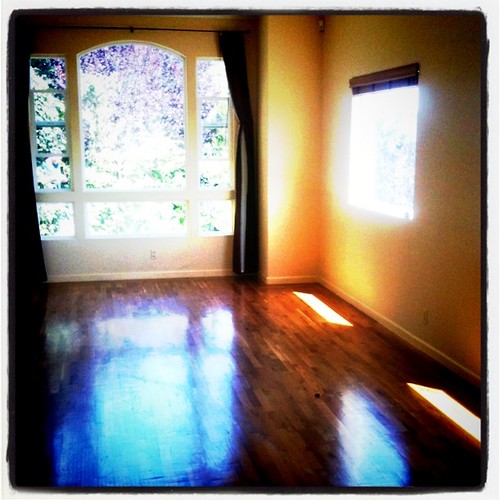
We bought a new house:
empty house is empty
and filled it with boxes:
ECardboardBoxOverflow
My commute goes over Bernal Hill now:
bernal commute #1
which looks lovely in the evening too:
bernal
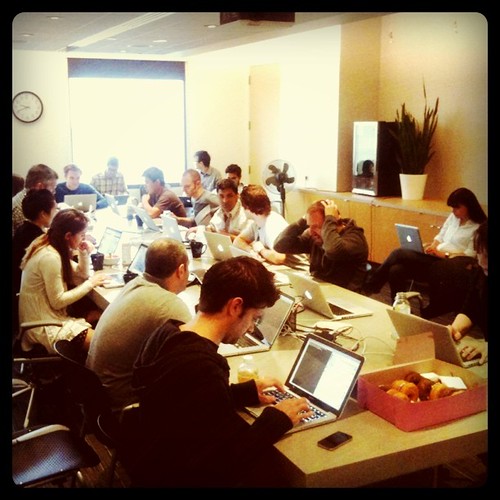
On June 1st we launched the new Twitter Search:
twitter search+photos launch room
and celebrated with drinks that evening
cheers to the launch of the new twitter #search
and dinner the next week
storefront

After the launch I needed some time off, so took a week's staycation beginning with a walk over Bernal (Friday)

evening in bernal
and then a trip to Ikea (Saturday)
Jag, Robot
a walk in the Mission (Sunday)
http://farm3.static.flickr.com/2656/5825543646_e5f77dabfd.jpg
a trip downtown (Monday)
http://farm4.static.flickr.com/3406/5830206712_307bab3d92.jpg
a picnic in the park (Tuesday)
#staycation picnic with @thebeean
a trip to the wine country (Thursday)
yay!#staycation wine tasting
and then, on Friday 17th June, my 38th birthday, a birthday card made of elephant poo:
.@wendyverse sure picked a special birthday card
dinner at a favorite restaurant
sign
a trip to the animal shelter
feral cat entrance
and adoption of Chaucer the cat:
Chaucer the cat

Today was @thebeean's 322nd day:

day 322
and she met Chaucer:

And now you're caught up.

Sunday, May 01, 2011

Pale Blue Dot

This thread on Quora is doing the rounds and it's worth skimming through for a quick journey through some of the most iconic photographs of all time (the Blue Marble, for instance, is the most distributed photographic image in the world).

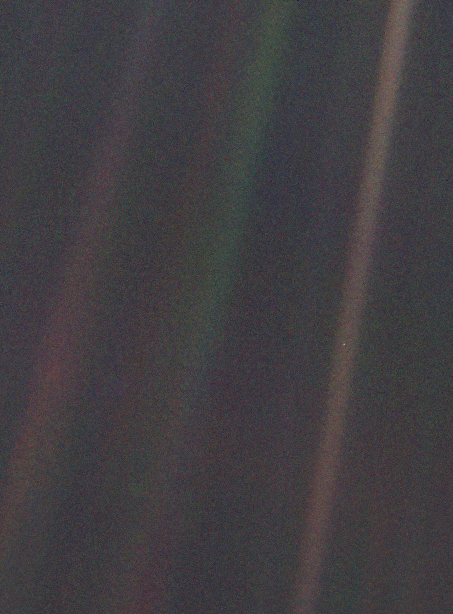
The Pale Blue Dot, though, I'd never seen before. It's a picture of earth taken by Voyager 1 in 1990 from a distance of 3.7 billion miles:

I found it utterly mindblowing, but even moreso these beautiful words from Carl Sagan, who originally requested that NASA instruct the spacecraft to take the photo.

From this distant vantage point, the Earth might not seem of particular interest. But for us, it's different. Look again at that dot. That's here, that's home, that's us. On it everyone you love, everyone you know, everyone you ever heard of, every human being who ever was, lived out their lives. The aggregate of our joy and suffering, thousands of confident religions, ideologies, and economic doctrines, every hunter and forager, every hero and coward, every creator and destroyer of civilization, every king and peasant, every young couple in love, every mother and father, hopeful child, inventor and explorer, every teacher of morals, every corrupt politician, every "superstar," every "supreme leader," every saint and sinner in the history of our species lived there – on a mote of dust suspended in a sunbeam.

The Earth is a very small stage in a vast cosmic arena. Think of the rivers of blood spilled by all those generals and emperors so that, in glory and triumph, they could become the momentary masters of a fraction of a dot. Think of the endless cruelties visited by the inhabitants of one corner of this pixel on the scarcely distinguishable inhabitants of some other corner, how frequent their misunderstandings, how eager they are to kill one another, how fervent their hatreds.

Our posturings, our imagined self-importance, the delusion that we have some privileged position in the Universe, are challenged by this point of pale light. Our planet is a lonely speck in the great enveloping cosmic dark. In our obscurity, in all this vastness, there is no hint that help will come from elsewhere to save us from ourselves.

The Earth is the only world known so far to harbor life. There is nowhere else, at least in the near future, to which our species could migrate. Visit, yes. Settle, not yet. Like it or not, for the moment the Earth is where we make our stand.

It has been said that astronomy is a humbling and character-building experience. There is perhaps no better demonstration of the folly of human conceits than this distant image of our tiny world. To me, it underscores our responsibility to deal more kindly with one another, and to preserve and cherish the pale blue dot, the only home we've ever known.

Voyager 1 was then, and is still, the most distant man-made object in existence.

Tuesday, April 12, 2011

Mark Twain to Walt Whitman

This transcript was sent round the office today (what great people I work with at Twitter!) and it took my breath away somewhat. Mark Twain wrote this glorious letter to Walt Whitman on Walt's 70th birthday in 1889:

Hartford, May 24/89

To Walt Whitman:

You have lived just the seventy years which are greatest in the world’s history & richest in benefit & advancement to its peoples. These seventy years have done much more to widen the interval between man & the other animals than was accomplished by any five centuries which preceded them.

What great births you have witnessed! The steam press, the steamship, the steel ship, the railroad, the perfected cotton-gin, the telegraph, the phonograph, the photograph, photo-gravure, the electrotype, the gaslight, the electric light, the sewing machine, & the amazing, infinitely varied & innumerable products of coal tar, those latest & strangest marvels of a marvelous age. And you have seen even greater births than these; for you have seen the application of anesthesia to surgery-practice, whereby the ancient dominion of pain, which began with the first created life, came to an end in this earth forever; you have seen the slave set free, you have seen the monarchy banished from France, & reduced in England to a machine which makes an imposing show of diligence & attention to business, but isn’t connected with the works. Yes, you have indeed seen much — but tarry yet a while, for the greatest is yet to come. Wait thirty years, & then look out over the earth! You shall see marvels upon marvels added to these whose nativity you have witnessed; & conspicuous above them you shall see their formidable Result — Man at almost his full stature at last! — & still growing, visibly growing while you look. In that day, who that hath a throne, or a gilded privilege not attainable by his neighbor, let him procure his slippers & get ready to dance, for there is going to be music. Abide, & see these things! Thirty of us who honor & love you, offer the opportunity. We have among us 600 years, good & sound, left in the bank of life. Take 30 of them — the richest birth-day gift ever offered to poet in this world — & sit down & wait. Wait till you see that great figure appear, & catch the far glint of the sun upon his banner; then you may depart satisfied, as knowing you have seen him for whom the earth was made, & that he will proclaim that human wheat is more than human tares, & proceed to organize human values on that basis.

Mark Twain

Thanks @shinypb.

Sunday, April 03, 2011

Day 245

Lux turned thirty-five weeks old yesterday. Here's a photo I took on her 245th day:

Day 245

It's not true that I take a picture of her every day. I aim for at least every Saturday (marking the weeks) plus some opportunistic mid-week shots every now and then. Still, from this accidental project I've now collected quite a few photos at http://isaa.ch/thebeean. I'm trying not to feel pressured.

Bean Compendium

Friday, April 01, 2011

The Rest of Hawaii

one third of the world's pineapples are grown in Hawaii #hawaiifactsless than a minute ago via Twitter for iPhone

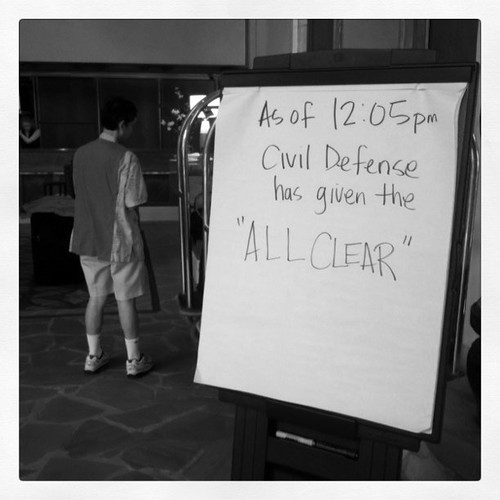
After the tsunami was a surreal calm. The next day in the hotel lobby there was this:

ALL CLEAR
and people selling t-shirts saying "I survived the tsunami: 3/11/11" (it's the American way, yo!). We got to keep our fifth-floor ocean-view room for another day (suck it, Priceline) and then left the hotel for our next accommodations. Time to downshift for a couple of days; we headed to a hut in the jungle near Hoolawa Bay.

In the hut: no drinking water, no bath, no shower, no crib, no heating, no AC. One 6" centipede.

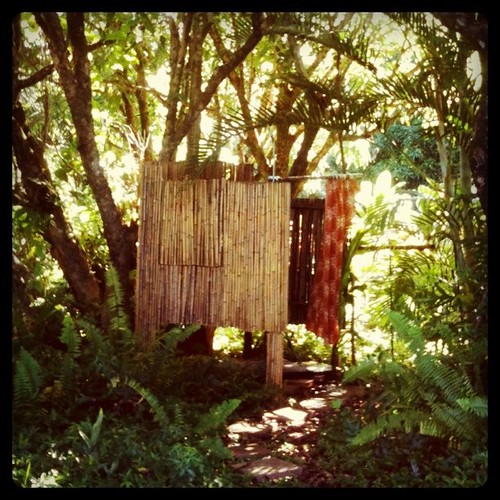
Outside the hut: ah-ha! The shower (fed from rainwater):

our hawaiian jungle shack has a shower

And so it goes.

From the hut we explored the Hana Highway. It's a whole thing (it's got its own Wikipedia page) but the most spectacular sights aren't especially baby-friendly. Out guidebook suggested 300ft rocky scrambles, 25ft sheer climbs and 100ft swims to see the most amazing waterfalls. With a seven-month-old it's just not going to happen.

But we did the drive, hung out on the beach at Hana Bay, and came back again. It was a great way to end the vacation.

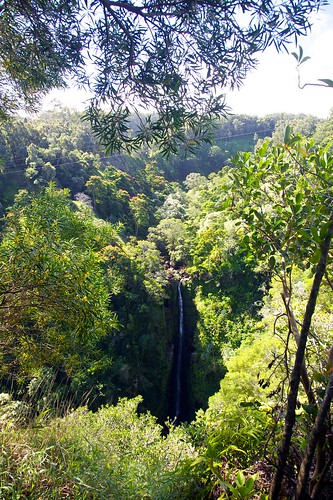
First waterfall we saw on the Hana Highway:

Waterfall
Thick bamboo:
Bamboo
Hana Bay:
Hana Bay
Wendy and Lux:
Wendy and Lux
The Highway itself:
Hana Highway

The rest of the photos are on Flickr.

Sunday, March 27, 2011

Best App Store Review Ever

I found this originally in image form. It was begging to be transcribed so here it is with many props to Ghostmoth.
Join the adventure!
★★★★★ by Ghostmoth on Mar 26, 2011

Color is a ground-breaking new entry in the new genre of MMPRLMG (Massive Multi-Player Real-Life Marketing Games).

Imagine yourself emerging from the dense forest of the App Store™. In a clearing ahead you see a shiny new icon, a multicolor wheel. Its name is Color. In the distance you hear marketing dogs yelping buzz. "Social!" "Find Someone." "Party!" You press Install, and your adventure begins!

You tap the app and you're presented with your first challenge. The gatekeeper. You must enter your name and have your picture taken before you can continue. "What will my name be used for?" you ask. No response. "Who will see my picture?" Silence. "You must give us your name and image or you cannot proceed" the interface insists. You acquiesce, wondering if you haven't made your first mistake. But there's no going on until you do, and you WANT to go on.

You are whisked through a portal into a chamber. Along the border are strange icons. In the middle a large, jaunty, mural in the seat-pocket-emergency-evacuation-instructions drawing style. It shows intent people in pants all taking pictures with their phones. The caption reads "Take photos together."

You decide to explore the icons. One's sort of an infinity/yin/yang. You wonder what that's supposed to mean. You tap the icon and find yourself on a blank screen. The icon changes to overlapping ovals. What does this new icon mean? You tap that one. You return to the mural room.

You examine the third icon, clearly a clock. You tap it. You see your face, name and the date. Nothing else. The clock icon is now lit up. You wonder what that means. You notice that questions are starting to accumulate. Should you be writing them down? You tap the clock icon again. It turns into a white screen with the words "No messages." The icon has turned into a sound-wave. You wonder what that means.

You continue to poke around the interface. There are no settings. No info button. No hints. You start to sweat a little. No tutorial. No about screen. No credits. No link to a website.

Then you remember the warning. The one written next to the install button: "Do not use Color alone!" You call up a friend. You both look at the interface together. There's no change.

Now things are getting spooky. Is this all there is? Is there no one to explain what these things are or how they work? Is this interface really so simple and obvious that it doesn't need any kind of guide? The thought suddenly crosses your mind that you might not be technically savvy enough to understand an interface that's so simple it doesn't need a manual!

But this is a Real-Life Adventure game, and you have assists! You cast the Google spell. You discover that the developers spent months developing advanced analysis and data-mining technology. It analyzes location, and position, and light, and ambient noise, and Bluetooth signal strength so it can… so it can… "What?" you ask out loud! "What on earth is it going to do with all this informa…" and you shut your mouth. Is it listening now? Is it analyzing your level of frustration, the shaking in your hand, the defeated angle of the device? Is somewhere a database recording your inability to solve this twenty-first century enigma that you hold in your hand?

You find the company website. It has no instructions. No "About us!" link. No tutorial, or feature lists, or forums, or support, or contacts, or FAQs. You can almost hear the developers laughing at you! "Silly user, sniffing around our website looking for information! We gather information, we don't give it out!"

You conquered Myst. You understood the end of Lost. You can do this! You're not going to let this new adventure game genre get the best of you! You will master this if it takes all weekend. You discover a button to create a group! You wonder what a group is. Progress, of sorts.

But at least you know it's just a game, and not actually an app to share photos. And now you also know that you are alone. And you're uncool. And not very clever. Because Color told you so.

Saturday, March 26, 2011

Hawaii Day 3¾

it's the spookiest thing when the sea just seems to drain away. in maui, nothing too bad as a result so far. +/- 6ft swells, 15 mins apart.11 Mar 2011 via Twitter for iPhone

At the end of Day 3½ we had a decision to make. Stay on the 5th floor of the hotel, 30 yards from the shore, or grab the car and head for higher ground (to where many on Maui had already been evacuated). We had about five hours before the tsunami was to arrive.

We decided to stay put. The hotel building was a 1970s concrete affair, built apparently without subtlety or delicateness as a concern. For whatever it was worth, to my untrained eye it looked sturdy enough to survive a watery onslaught—although with lines at convenience stores getting longer and longer, and cell service already gone, thoughts of an "aftermath" started to enter my head. From our balcony I surveyed the ground below and tried to picture it being overwhelmed by a tidal wave.

We stayed glued to the TV and to Twitter. Lux still sleeping, Wendy and I exchanged messages with friends and family and read on-the-ground updates from Japan, the Philippines and Taiwan. On TV, the local Hawaii stations were solidly informative and helpful; national ones (I'm looking at you, CNN), barely so.

Twitter in the aggregate was incredibly useful although individual Tweets were on occasion off-base. Salim Ismail scared the crap out of me when he tweeted that a second, M8.8, earthquake had hit Japan after the M8.9 one (I asked him about it a couple of days later and he deleted that Tweet and said he'd gotten mixed up).

And then 3am arrived, the time when the tsunami was scheduled to first hit the westernmost point of Hawaii. Local TV stations, cameras pointed at beaches, showed nothing—a dark eerie absence of drama. But then gradually, over the next ten minutes, we saw on TV the ocean recede 100ft back from the beach exposing a bare sea-bed. It left silence and coral and an enormous anticipation.

Not long after that, the first wave hit Maui (it would later turn out that Maui was the worst-affected of all the Hawaiian islands). From the balcony, through the darkness we could make out the receded water and then 15 minutes later a swell coming up to the vegetation line.

It did that about six times over the course of the next hour and a half. The water level would go down 6ft—the waterline receding perhaps 50ft horizontally, like a very low tide—and then up 12ft—like a very high tide. In the darkness it was actually easier to hear than it was to see.

And just like that, by 5am or so it was pretty much over and we went to bed. Lux, of course, hadn't even woken up.

Dr Fryer of the #hawaii Pacific Tsunami Warning Center just said that he thinks the worst is over for most islands. and @wendyverse sleeps.11 Mar 2011 via Twitter for iPhone

Tuesday, March 22, 2011

Hawaii Day 3½

there's a fucking tsunami in hawaii right now #hawaiifacts2.44am, 11 Mar 2011 via Twitter for iPhone

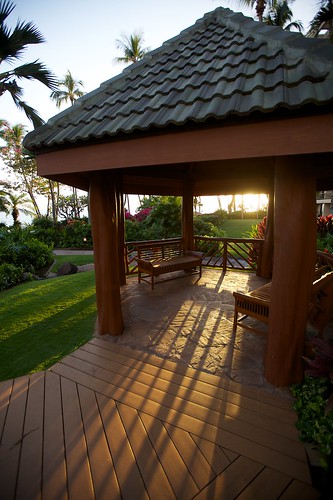
We didn't really finish the day with pineapple. The evening was beautiful and I wandered around the Hyatt taking a few photos. The pagoda where, I guess, folks hang out or something?

Pagoda
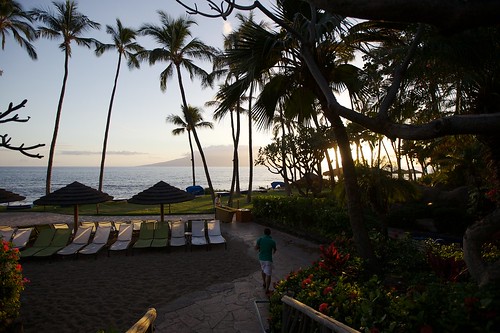
some loungers by the beach:
Resort
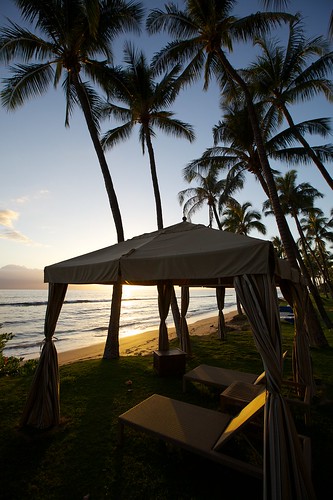
a coastline cabana:
Cabana
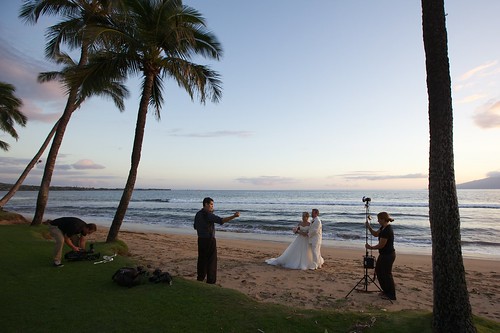
a wedding shoot:
Photo Shoot
and a (different) happy couple eating pizza:
S & L

After that we headed out for dinner in Lahaina (Lux joined us for a date in a fancy restaurant and was actually exceptionally well-behaved). And after that was when the fun began.

We were just walking after dinner in Lahaina when a man on the sidewalk told us that there'd been a huge earthquake in Japan and we should start preparing for a tsunami. We weren't sure how seriously to take him but certainly he fully freaked out the elderly couple behind us, whom he told to get gas and head for high ground. For all I know they're still up there, cowering in the hills.

For us, Twitter confirmed the news about the earthquake and by the time we got back to the hotel there was definitely a heightened level of activity as people tried to work out what was going on. At about 9.30pm the sirens went off across the island, and local media alerts confirmed that we should expect the arrival of a tsunami. By 9.35pm we were being moved to a hotel room on a higher floor.

This is the sound which roadblocks local broadcast, by the way, when a tsunami is coming:

Wendy grew up in Colorado with this sound as a tornado warning, and it still makes her instinctively fearful.

By just past 10pm, with more than five hours to go until the swell was supposed to first arrive, we were settled into our new room on the 5th floor. It was surreally calm; Wendy and I kind of looked at each other wondering what now.

We'd seen the first footage on TV of what the tsunami did in Japan (or at least what was available by then) and we'd heard that this is a phenomenally powerful earthquake. Wikipedia already said that it was the seventh greatest ever recorded (today the USGS has it as the fourth largest since 1900). We're in a beachfront hotel on the western shore of Maui and the rental car is valeted in the basement.

We knew that they were evacuating people near the coast who didn't have the option of moving to a high floor, and that there were already long lines at convenience stores and gas stations for water and gas and other provisions. They said the tsunami would arrive at 3.19am (and 3.03am in Honolulu, a little further west than us). With a running start we could be safely at 300ft elevation within about 15 minutes.

We have a seven-month-old baby, still asleep through all of this...

to be continued