Friday, August 08, 2014

Moving to Boulder, day 5

11 July 2014: we wake up in Elko, NV, with a target of Mapleton, UT. That's 280 miles, with 42 of them in a perfectly straight line. The kids both love swimming right now, and the hotel in Elko has a pool, so the first thing we do after a hotel breakfast is splash about for an hour or so.

After that it's on the road, and more of the same:

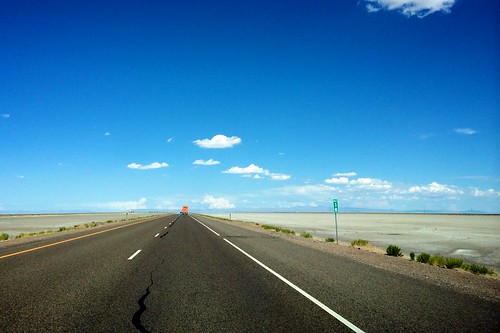
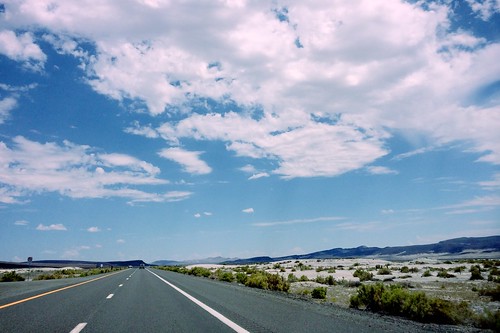
Nevada plains
and then
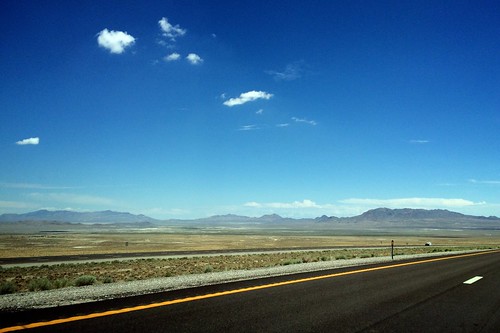
Utah salt flats
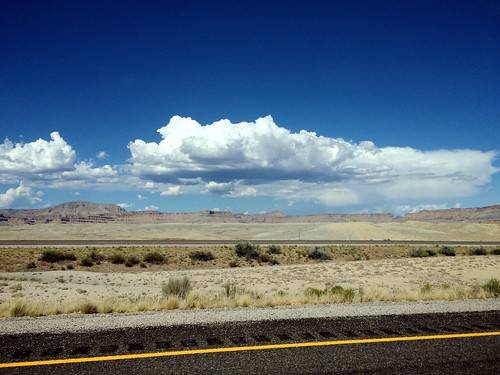
and then
Utah desert

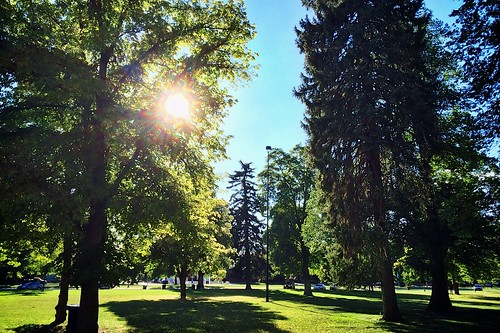
After miles and miles of this we decide to stop at a park in Salt Lake City on our way through—to let the kids run around and let off some steam. Liberty Park turned out to be perfect for this, and we ended up staying a couple of hours enjoying the late sunshine:

Arrived in Salt Lake City
At Wendy's request we then drove just a few blocks to the Old Spaghetti Factory, a staple of family road trips from her own childhood.

With our dawdling—and a critical closed road on the way to Mapleton—we ended up not arriving at our Airbnb until 11pm. We also didn't yet fully appreciate what being in suburban Utah meant.

Thursday, August 07, 2014

Moving to Boulder, day 4

10 July 2014: Thursday morning we wake up in Tahoe City, CA, with our next night's lodging in Elko, NV. That's a 350 mile journey: in England terms Southampton to Newcastle; basically most of the length of the country. I've been in the States over ten years now so UK comparisons are mostly moot, but for me growing up this was an inconceivable distance for a day's drive—you'd get the train if anything, probably.

While we're on these comparisons, though, it's worth noting that Elko—a town of fewer than 50,000 people—is the largest town for 130 miles in any direction. There isn't a single town like that in England. It's on drives like this when the vast scale of the US (again, relative to where I grew up) becomes most apparent.

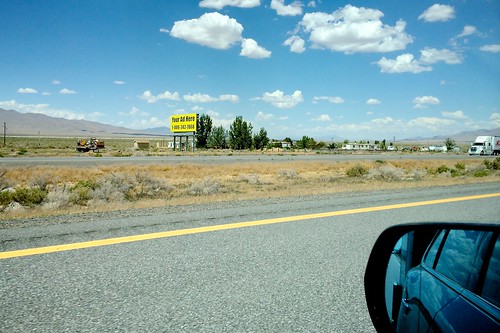
Roads like this:

On the road in Nevada
and this:
Your Ad Here, in the middle of nowhere
and this:
go on and on and on (the video covers ~16 miles).

In the UK or the US or probably anywhere else in the world, 350 miles is a long drive relative to the patience of a 2-year-old and a 4-year-old. The kids were pretty fed up by the time we got to Elko, but enjoyed reading Frederick on the iPad at bedtime:

Frederick
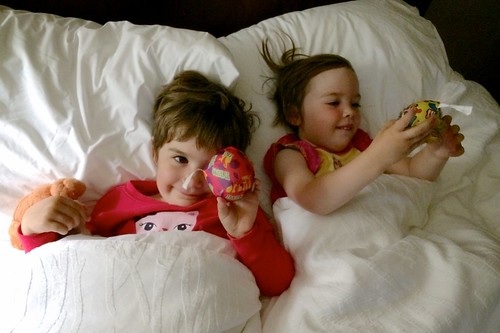
and sharing a bed in the hotel
Sharing a hotel bed
(in fact so much that we ended up having to separate them).

Tomorrow, onwards from Nevada into Utah.

Wednesday, August 06, 2014

Moving to Boulder, day 3

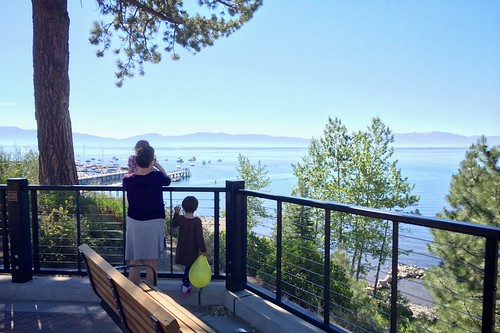
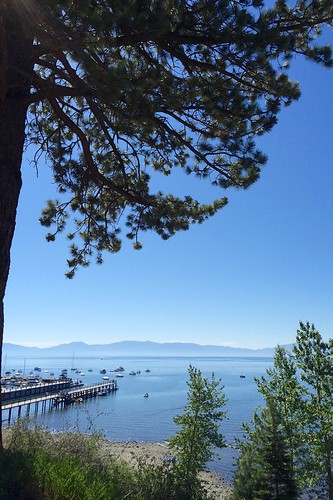
9 July 2014: it's nice to wake up in Tahoe. We went for breakfast in Tahoe City, with a lovely view of the lake

Lovely day in Tahoe City
Lake Tahoe

After breakfast we grabbed towels from the house and went to the beach for a while.

(Not) skipping rocks
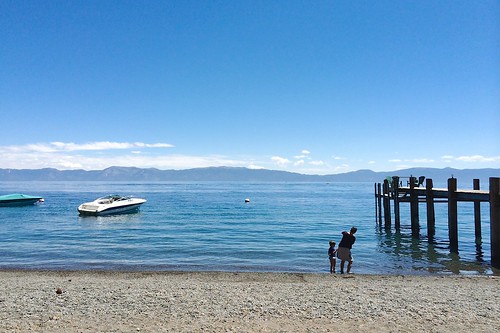
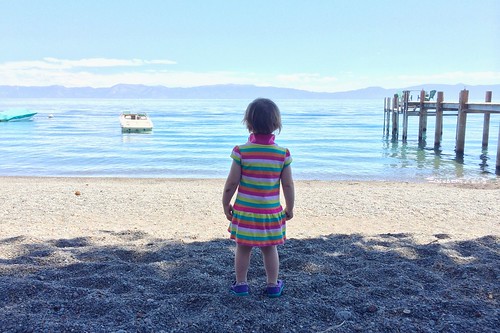
Cecilia at the lake

Wendy stayed mostly dry but Lux, Cecilia and I all went swimming. "Bracing" is directionally correct but really doesn't even come close to describing the temperature of the water. We dried off in the sunshine on a wooden jetty.

We had a quiet dinner that evening, in the back yard of our place. Hungry Cecilia:

Hungry Cecilia
Happy Lux:
Hungry Lux

Tomorrow we'll be leaving California.

Tuesday, August 05, 2014

Moving to Boulder, day 2

8 July 2014: Wendy and Cecilia wake up in Colorado. Lux and I wake up in California for her last day at pre-school. Here she is waiting to be picked up to be taken there by a friend

Last day of school

The conversation in the car on the way to pre-school, from what I'm told:

Tessa (Lux's best friend): this is our last day together we should hold hands the whole way, I love you
Lux: I love you too Tessa
It breaks your heart.

Later, picking Lux up from school, there were fond goodbyes with favorite teachers:

Goodbye Mary
Goodbye

By 5pm the truck's filling up

Now it's real
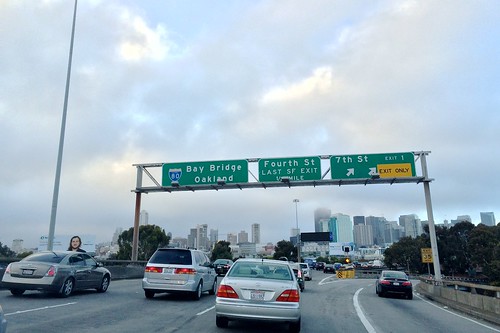
By 7pm we're headed out of town:
Goodbye San Francisco

We grab dinner in Emeryville and arrive in Tahoe City a little before midnight. The Airbnb we're staying at has a dog barking machine; it scares the crap out of me.

Onwards.

Monday, August 04, 2014

Moving to Boulder, day 1

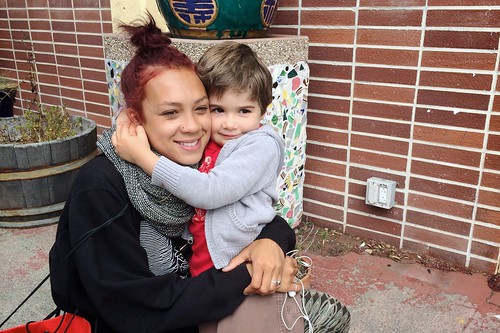
7 July 2014: Before we know it: first thing, early, Wendy's flying to Colorado with Cecilia and Chaucer. Lux and I took them to the airport, Chaucer crying in his carrier the whole way.

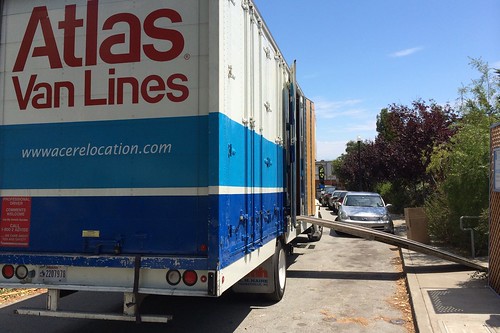
Back from SFO I take Lux to school and await the movers:

This one dude arrives and starts putting things in boxes kind of desultorily. Helpers are arriving soon, I'm told, and I make myself scarce.

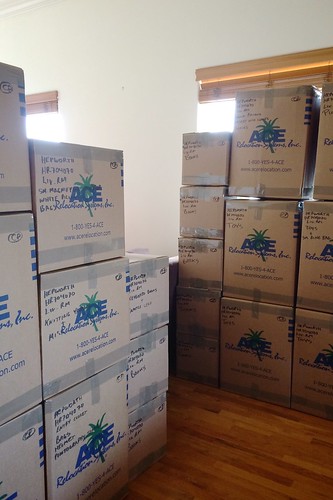
By the end of the day we've got a smattering of boxes

And so it begins with the boxes
and a relaxed Lux
Lux is chill
but wow there's a lot still to go.

Sunday, August 03, 2014

Moving to Boulder

Things moved quickly after that date night at the top of Bernal:

And so the move began.

Saturday, August 02, 2014

Date Night

Wendy and I moved from Denver to San Francisco in 2005. Unmarried, childless, we found a little place for rent in the Mission, rented it and moved in.

In 2006 I started working for Google. In 2007 Wendy and I got married. In 2008 we took our honeymoon. In 2009 we got pregnant. In 2010 I started working for Twitter and we welcomed Lux. In 2011 we bought our first home, and in 2012 we had another kid.

We instituted weekly date night in 2012 too.

Each week we'd usually meet at Blondie's after work, and after a drink or two go either to a movie or to dinner. 2 April 2014 was different, though: after the bar we grabbed a slice of pizza across the street, some dodgy liquor from a corner store, and headed up to the top of Bernal hill:

On a beautiful evening, overlooking our beautiful city, I said to Wendy: "you know what we should do? We should move to Boulder".

Saturday, April 19, 2014

Dropbox and Google Drive

UPDATED 4/21: update below from Scott Johnston, Product lead for Google Drive.

I figured it was time to move from Dropbox to Google Drive. On the face of it, it's deceptively easy

I have a little over 100Gb sync'd with Dropbox across three Macs. I figured it'd be a simple matter of

  1. ensure all three machines are fully sync'd with Dropbox
  2. quit the Dropbox app on each
  3. on Mac #1, copy the Dropbox folder to the Google Drive folder
  4. on Mac #1, fire up the Google Drive client, and sync (ie. upload the 100Gb)
  5. on Mac #2, copy the Dropbox folder to the Google Drive folder
  6. on Mac #2, fire up the Google Drive client, and sync (which should be a no-op)
and then the same for Mac #3.

Everything was looking good to begin with. Even step 4, which some had said would be troublesome, worked just fine in practice—speedy upload, no problem. The real surprise was step 6:

because Google Drive was downloading an entire duplicate copy of everything, not noticing that I already had a complete copy in the local folder already.

Obviously this is fucked up. It's also, apparently, a known issue. And while I can probably live with the lack of LAN Sync, and the general unpolishedness of the Google Drive client, basic functional brokenness like this is a deal-breaker.

From a number of people I've heard great things about the Insync client for Google Drive—including its support for multiple Google Accounts. For now, though, I'm heading back to Dropbox.

UPDATE: To my surprise the Google Drive Product lead tweeted an acknowledgment of the issue. Sounds like a fix is in the works.

Monday, December 30, 2013

Disabling Wi-Fi on a Comcast Xfinity Cable Modem

Judging by traffic and comments, my last technical "how-to" post was a moderate success, and was found by folks Googling for the solution—so I'm back with another quickie.

A few months ago Comcast sent me an Arris TG862G cable modem, an upgrade from the previous Motorola device to enable higher speed internet access. On the upside it did the job more than handsomely:

On the downside it insisted on being a firewall, DHCP server, and Wi-Fi access point—when I already have something I'm perfectly happy with for those functions. And while some aspects could be tweaked via the admin console, the Wi-Fi couldn't be disabled.

I wanted it disabled.

So if, like me, you want to disable Wi-Fi on your Xfinity Arris TG862G cable modem (how about that for SEO), here's what you need to know: just call Comcast and ask them to put your device into "bridge mode". I did, it was painless, it took them a minute or two, and the box became exactly what I wanted: a transparent bridge between co-ax cable and my Asus router. The N16 now has a the public IP and does its job as firewall, Wi-Fi access point, ssh tunnel endpoint, DHCP server, and so on.

Enjoy.

Saturday, November 23, 2013

Working at Twitter

I find myself interviewing a lot of people for positions at Twitter. In my time here I've been on panels for Product Management, Business Development, Engineering, Product Counsel, Country Director, Brand Strategy, Data Scientist, Corporate Counsel, Media Partner Manager, Business Operations, Program Management, Corporate Development, Marketing & Communications, Procurement, Finance, Product Specialist, and likely a few others—I've interviewed hundreds of people in all.

Most of these interviews are 30 minutes. I try to leave five minutes at the end of each for a candidate to ask me questions, and the one I most often get is "what do you most like about working here?".

The answer I give comes in two parts.

This is the big thing for me even though it's not even Twitter, Inc., which makes the ultimate product—it's Twitter users who make Twitter the experience so educational, addictive, moving, thought-provoking, hilarious, informative, and entertaining. To be a part of the team which enables something so amazing, though, is a tremendous source of joy and pride.

But there's also this:

It was February this year that Twitter acquired Bluefin Labs. A few months later I was talking to Deb Roy, one of its founders, and as a new Twitter employee at the time he shared with me the observation that “credit flows very freely at Twitter”, with the result that the organization is less political than most.

That resonated with me, and I've thought a lot about it.

It's not that Twitter, Inc., is devoid of internal politics but it is the case that—in my experience at least—it's a uniquely collaborative environment where credit is shared willingly, genuinely, sincerely, and amazing things are accomplished as a direct consequence. It's refreshing and energizing to work at a place with such a unified sense of purpose and, for the most part, lack of ego.


If the above sounds appealing, join us! As of today, there are 260 open positions at Twitter worldwide.

Thursday, July 18, 2013

Twitter Hackweek, July 2013

I'm pretty proud of this, which I produced during Twitter's most recent hackweek:

It's a map of verified users of Twitter. The layout is calculated according to the mutual follow graph connecting these users, ie. relationships where @x follows @y and @y follows @x. The coloring is determined by user category (eg. sport, music, etc).

The Twitter Media blog post has some good information about how to think about the visual and what we can deduce from it; what follow here are the gory details behind how it was built—for data visualization dilettantes and cargo-culters like myself.

What on earth

First of all: what exactly is this thing? In technical terms it's a force-directed layout of the largest connected component of the verified user mutual follow graph. That single large connected component happens to contain over 99% of verified users; a handful are off on islands of their own, not connected to this clown hairball by mutual follows, and they're not shown.

How it came to be

Here's how it looked at the beginning of hackweek; this is a first quick pass at the force-directed layout of a random sample of verified users:

(More detail below on the tools that I used to make this image but for those already wondering, the hard work was done by Graphviz, specifically sfdp and neato)

This was looking promising (and attractive in its own way, I thought) but as I added more and more users it just became a big dense white blob with no apparent structure. I figured I'd have a go at coloring the nodes by user category (sports, music, news, and so on) to see if some structure would reveal.

I started off by just highlighting TV-related accounts, which you can see in this graph of a 10% sample:
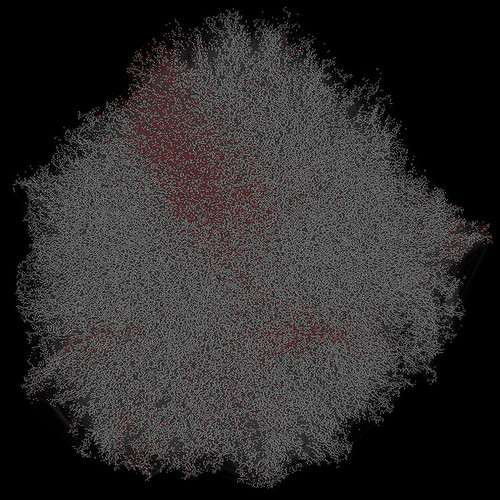
Verified user mutual follow graph, early cut
and this showed enough promise to add colors for other high-level categories.

I liked the way colors clustered together, but now my diagram was looking a bit drab:
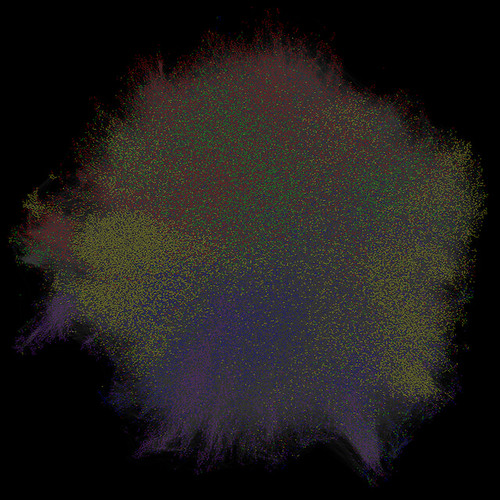
Verified user mutual follow graph, early cut
The density of the gray edges was just sucking the saturation out—and their uniformity was obscuring further structure, I figured.

So I colored the edges: any edge connecting two nodes of the same color would be colored accordingly: a yellow line to connect two sports people following each other; a red line to connect two musicians following each other; and so on.

Now the clusters were really clear. I liked this a lot, and I rendered a really large version:

The result is what you see in the Twitter Media blog post. Not quite a gigapixel, but near enough.

The generation process in detail

Obviously, the process starts by capturing the follow relationships between verified users on Twitter. You can do this yourself easily enough using the Twitter API:

  • find verified users by looking at who @verified follows;
  • for each, find who they follow;
  • filter this dataset down to mutual follows.
A good place to end up is with a tab-separated file of two columns, of users who follow each other:
screen_name_1 [tab] screen_name_2
screen_name_1 [tab] screen_name_3
screen_name_4 [tab] screen_name_5
to the tune of a few million lines.

Once you have this you can use your favorite awk or perl or bash one-liners to turn this into a bare graph in DOT format:

digraph my_graph {
    screen_name_1 -> screen_name_2
    screen_name_1 -> screen_name_3
    screen_name_4 -> screen_name_5
}

At this point I used Graphviz's comps utility to extract the largest connected component of the graph:

cat graph.gv | ccomps -zX#0 > graph-cc0.gv

Now we have the core data of interest in graph-cc0.gv and we can iterate on the following:

  1. layout: I used sfdp to produce a force-directed layout of the graph;
  2. coloring: I wrote a handful of lines of Python to color the laid-out graph according to the category of user;
  3. rasterization: I used neato to render the graph to a PNG.
  4. presentation: I uploaded to zoom.it to share the result.

I used a MacBook Air to do this work. Step (1) typically took a few minutes, (2) was 20 seconds or so; (3) was 10–120 minutes depending on the output size; (4) was actually the slowest step—a few days to process and present the final version. The graphviz tools are single-threaded and tend to be CPU-bound; you can get some wins with better hardware on (3), but only very modest ones.

Here's how it all adds up into a single script:
Saturday, March 09, 2013

Zero-Width Space

Since Buzzfeed picked up my post about stealth fanout on Twitter a few people have asked me how one can best produce a "zero-width space" on a Mac.

Here's how you do it.

On a Mac, pretty much any time you're typing text (including when you're composing a Tweet) you can hit ⌥⌘T to bring up the "Special Characters" window, and from here you can find (and use) pretty much any Unicode character out there. Try typing "zero width space" into the search field:

Image 2013 03 06 4 06 09 PM
and you'll find the elusive character… by definition it's kinda invisible. But you can add it to your favorite Special Characters, insert it into what you're typing directly from here, or copy it to the clipboard.

If you want to make it super-easy to use a zero-width space you can create a global text shortcut in the "Language and Text" area of the Mac's System Preferences. Here below I'm setting things up so that every time I type "zws" a zero-width space is inserted:

Image 2013 03 06 4 08 40 PM

Tuesday, March 05, 2013

Deathblogging

My dad has heart failure. My mom has opinions on the matter.

A few weeks ago my dad posted one of the most beautiful and moving pieces I've ever read, about his own father.

My head spins, my heart trembles.

Friday, March 01, 2013

Stealth Fanout on Twitter

Sure, on Twitter you can use the ".@" convention to start a Tweet with a username but still have it delivered to all your followers. Like this:

Turns out, though, that instead of a "." you can use a zero-width space. It has the same effect—your Tweet is delivered to all of your followers—but the leading character is by its nature invisible:

A side effect which you may or may not enjoy is people's surprise:

Wednesday, February 13, 2013

Family

I was on the lookout for something special for Wendy's birthday. And then Josh tweeted

Josh went to high school with Alessandra, now a freelance illustrator in Brooklyn. Alessandra, it turns out, does some truly delightful drawings. I thought I'd get in touch.

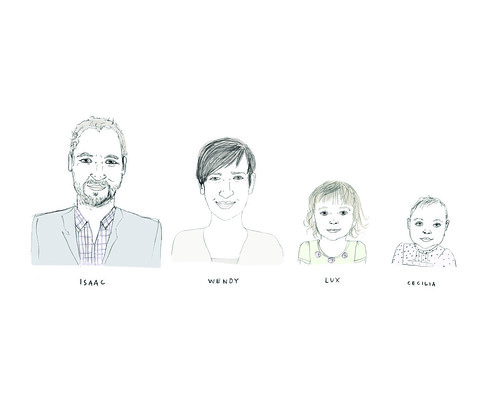
Based on a set of photos I sent over, Alessandra drew this picture of me, Wendy, Lux and Cecilia:

Wendy's Birthday Gift
and I'm thrilled by it (Wendy was too). It's framed on our wall and it makes me smile.

Thursday, January 10, 2013

Working at Twitter

I did a little Q&A recently about what it's like working at Twitter. They published the piece this week but included only my answers, not the questions, which makes it read a little incoherently. I thought I'd put the Qs as well as the As here for the record.

If you could describe the essence of Twitter's culture in one word, what would that be? Explain.
Open. We're open in the sense that we have transparent internal communication and discussion. Open in the sense that the platform is open to all: from everyday individuals to news organizations to governments to entertainers and so on. Open in the sense that people at Twitter are always open to new ideas and perspectives. Open in the sense that Twitter employees Tweet freely and fearlessly about their lives and opinions.

Describe your favorite part of the office/campus.
The roof deck at Twitter is very special. It reminds us all that we're in the middle of a wonderful and vibrant city. Provides views of Twin Peaks and—often—the sunset.

How would you describe the best day you ever had at Twitter? What made it so great?
I've thought a lot about this. At Twitter I feel incredibly privileged to work at a company which makes a product that I so deeply love. I'm besotted with the thing which is Twitter, and that makes every day here special. If I had to choose one in particular, it'd be meeting Barack Obama at the White House while organizing the first ever presidential Twitter Q&A in 2011.

Describe your workspace—what does your immediate (desk) and/or surrounding work area look like? Have you done anything to customize it?
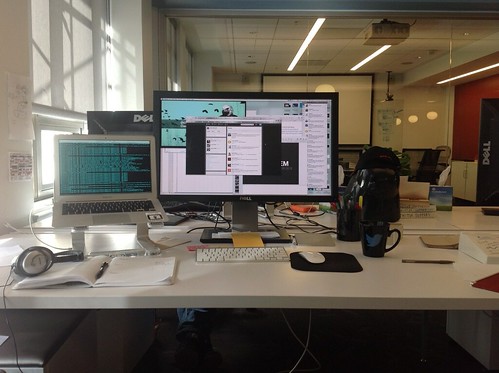
It's pretty minimalist. A laptop stand and 27" Dell monitor, wireless keyboard, wireless mouse. I've been at Twitter coming up for three years and have had 13 different desks since I've been here. I travel light.

My desk at Twitter

How would you describe the quintessential Twitter employee?
Passionate; humble; smart.

Describe one unique/goofy/crazy/weird/quirky thing your team does for a little fun.
The work in the Twitter Media team is unique and crazy enough on its own! Every week team members are meeting and hosting visits from heads of state, world-famous athletes, mega-star musicians, religious leaders, award-winning journalists, best-selling authors and media companies. We work with them to help them use Twitter ever more effectively to connect with their fans and followers, and to create unique interactive experiences on and off the platform.

If there was one thing you could describe to an outsider to make them feel like a Twitter insider, what would that be?
There's an incredible unity of purpose here at Twitter: every Twitter employee works here because they want to make Twitter the best it can be. From making the site faster to improving search algorithms, from testing new features with users to making sure our office feels like home, everyone is working passionately toward a common goal, eagerly looking toward the future and constantly amazed by the creativity of our users.

CES 2013

I went to the Consumer Electronics Show in Las Vegas once. I flew in for a single meeting, in January 2006, and remember that after that I spent over an hour waiting in a line for a cab back to the airport. In the end a dozen people in the cab line pooled resources and rented a stretch limo to the airport between us.

In 2013 I went to CES only in my imagination and on Twitter:

Thursday, June 28, 2012

Tomato, the Macintosh, and the Asus RT-N16

If like me you read Jeff's post, bought an Asus RT-N16 intending to run Tomato, realized that the way Jeff upgraded his firmware was by using the Windows-only manufacturer-supplied utility, and you only have a Mac handy—then this post is for you. Below are instructions for upgrading the router's firmware from the terminal, assembled from a few existing articles, and personally validated by me.

Pre-requisites: some comfort at the command line, some familiarity with firmware upgrades.

First of all:

  1. Download the appropriate Tomato USB firmware. You'll need a "Kernel 2.6 for MIPSR2 Routers" version; I used Ext build 54, and I've read that the VPN build works too. Either way you're going to end up with a file like tomato-K26USB-1.28.9054MIPSR2-beta-Ext.trx.
  2. From the menu bar icon, turn off the Wi-Fi on your Mac. We'll not be using that interface.
  3. Connect your Mac via ethernet cable to LAN Port 1 on the router.
  4. Turn the router on.

Now, to perform the upgrade, open Terminal.app or your preferred terminal.

1. Turn off your Mac's ethernet interface:

Isaacs-MacBook-Air:~ isaac$ sudo ipconfig set en0 NONE
Password:
Isaacs-MacBook-Air:~ isaac$

2. Reset the router's NVRAM: hold down the WPS button on the back of the router for 30 seconds. Still holding the button, unplug the router and wait for 30 more seconds. With the button still held down, plug in the router and wait 30 more seconds. Now release the button.

3. Now put the router in recovery mode: unplug it, and then plug back in again while holding the "Recovery" button.

4. Bring your Mac's ethernet interface up with a manually-configured address

Isaacs-MacBook-Air:~ isaac$ sudo ipconfig set en0 MANUAL 192.168.1.2
Isaacs-MacBook-Air:~ isaac$

5. Confirm that you can ping the router at 192.168.1.1:

Isaacs-MacBook-Air:~ isaac$ ping 192.168.1.1
PING 192.168.1.1 (192.168.1.1): 56 data bytes
64 bytes from 192.168.1.1: icmp_seq=0 ttl=64 time=0.053 ms
64 bytes from 192.168.1.1: icmp_seq=1 ttl=64 time=0.217 ms
64 bytes from 192.168.1.1: icmp_seq=2 ttl=64 time=0.080 ms
64 bytes from 192.168.1.1: icmp_seq=3 ttl=64 time=0.093 ms
^C
--- 192.168.1.1 ping statistics ---
4 packets transmitted, 4 packets received, 0.0% packet loss
round-trip min/avg/max/stddev = 0.053/0.111/0.217/0.063 ms
Isaacs-MacBook-Air:~ isaac$

6. Upload the new firmware using tftp, and wait 90 seconds:

Isaacs-MacBook-Air:~ isaac$ tftp 192.168.1.1
> binary
> put tomato-K26USB-1.28.9054MIPSR2-beta-Ext.trx
6284824 bytes, 2.8 seconds
> q
Isaacs-MacBook-Air:~ isaac$ sleep 90
Isaacs-MacBook-Air:~ isaac$
(update 8/31/2014: some folks have reported their routers to take much longer than 90 seconds to install the newly uploaded firmware. If in doubt, or having problems, you may want to wait up to an hour or two)

7. Unplug the router, and plug it back in again with the WPS button held down. Hold for 30 seconds as the router boots up.

8. Swtich your Mac's ethernet to DHCP:

Isaacs-MacBook-Air:~ isaac$ sudo ipconfig set en0 DHCP
Password:
Isaacs-MacBook-Air:~ isaac$

9. Open the configuration page at http://192.198.1.1/ (username admin, password admin) and change the admin password.

10. Enjoy Tomato!

Wednesday, June 27, 2012

One thing I find rewarding

I've been realizing this recently:

It's honestly a privilege.

My first job after my post-grad was in 1996, writing software for use by pharmaceutical companies doing animal testing. I joined an investment bank in London a year later—one of the few people, I suspect, actually to move to higher moral ground in joining the financial sector. Since then I've worked at a tiny London startup, an enormous US telco, a small specialized software product company, Google, and now Twitter.

At every single place along the way I've met great people. There are folks I'm still in touch with, and happily so, from all of these places. I love learning things and I've learned a ton. I enjoy challenges and I've faced them everywhere I've worked, without exception.

Out of the set, though, only Twitter is all about a product I really love and it makes the hugest difference. It's a lot to compete with.

Friday, June 15, 2012

New Arrival

Unlike last time, this one was really pretty sudden.

Wendy had been having contractions for most of the evening but it didn't seem like anything was imminent. I even tweeted:

That was at 10.04pm.

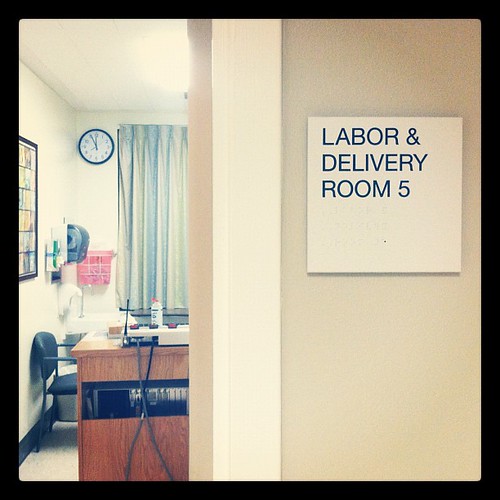
At 11.15pm when we were going to bed, Wendy said she thought that she might actually be going into labor. I called ahead to the hospital, we asked our friend Matt to come over to watch Lux for the night, and we drove to the delivery ward. From this photo it looks like we were settled into our room about 40 minutes later:

um, hi

Pretty much straight away the hospital staff confirmed that they were going to do a c-section and get our baby out. They paged the relevant people and started preparing, and by about 2am we were going into the operating room:

current status

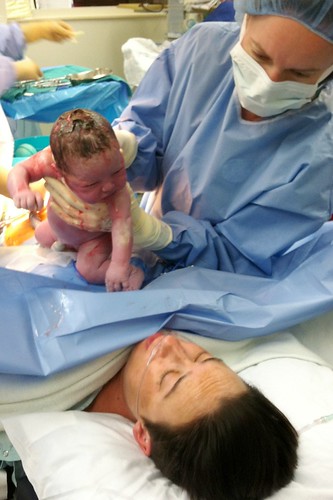
Boy, don't things go quickly from there! At about half past two we met our new family member:

Baby!
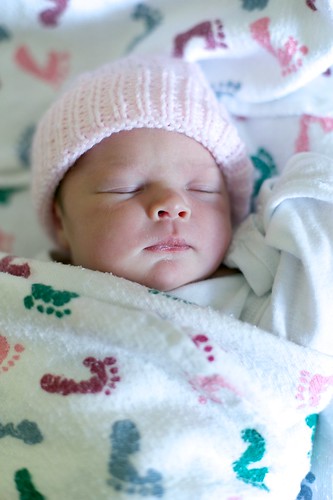
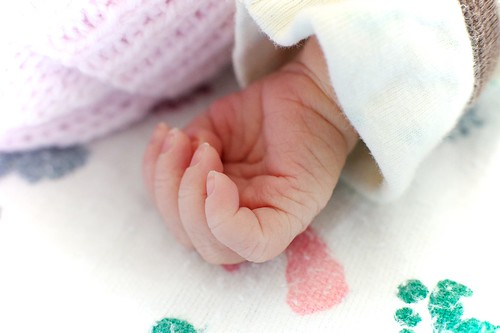
and here she is, ten hours old:
@thesprouut
Hand

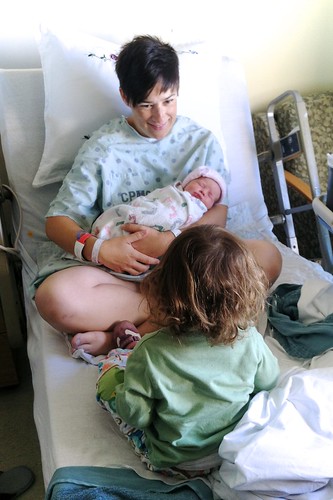
Lux met her the very next day. She was, and is, transfixed:

@thebeean meets @thesprouut
as well as so very gentle:
@thebeean meets @thesprouut

Wendy and the baby both made amazing recoveries and were discharged from hospital two days ahead of schedule. Born 2.33am PDT on 12 June 2012, weighing 7½lbs, we're thrilled to welcome Cecilia Hepworth to the world and to our home.

See a few more photos here.

Tuesday, June 05, 2012

An RFC 1912 mea culpa

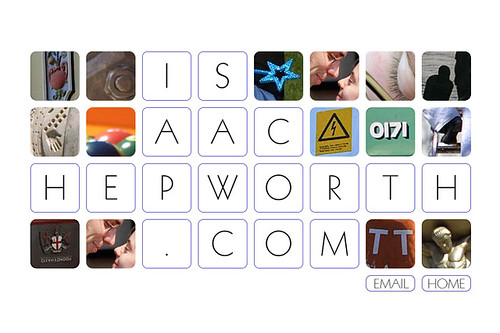
This blog's been powered by Blogger for over a decade. That takes it back to a short while even before Blogger was acquired by Google (Blogger founder @ev would later found Twitter, where I work). Back in 2002 I was using FTP to host it myself, and had this splash page:

isaachepworth.com, 2002

In 2003 I upgraded to a zeitgeisty orange

isaachepworth.com, 2003
but continuing the square photos motif.

This design stuck until Spring 2006, when I applied for a job at Google. At that point I switched to a more conservative look (yeah, whatever), ultimately settling on the current theme "Minima" (by coincidence created by Doug Bowman, currently Design Director at Twitter).

isaach.com, 2012

Not until 2010, though, did I switch off FTP publishing to my own host—and move to a fully Google-hosted setup with my custom isaach.com domain. That's when the trouble started.

Thing is, I took a few liberties with DNS. To use a custom domain with Blogger you need to CNAME your custom domain to ghs.google.com (which in turn CNAMEs to ghs.l.google.com). It makes a lot of sense that it would work this way, of course it does, but the snag is that DNS doesn't support a CNAME record in the root of a domain (RFC 1912, §2.4, "A CNAME record is not allowed to coexist with any other data", and of course you need your SOA and NS records in the root).

The net is that you can't run a Blogger-hosted blog in the root of a domain, eg. at isaach.com. It's really that simple.

What you can do, though, is ignore this fact and use a DNS provider which allows you to violate the RFC. Hello, zoneedit!

However, be warned. If you go this route then here's what will happen:

  • in the beginning everything will work just fine;
  • over time you'll hear about some people having intermittent troubles reaching your site;
  • you'll blame things on user or configuration error;
  • you'll build pagerank and inbound links to permalinks in your root domain;
  • gradually you'll hear more and more that people can't reach your blog;
  • eventually you'll investigate and identify the issue;
  • you'll spend a weekend futzing with nameservers;
  • you'll curse yourself while configuring permanent redirects from rootdomain.com/x/y/z to blog.rootdomain.com/x/y/z; and
  • you'll write a blog post cautioning others.

My advice, then, writing now at blog.isaach.com: don't mess with the RFCs, even if it seems like you can get away with it.

Friday, June 01, 2012

Beta SF Neighborhoods

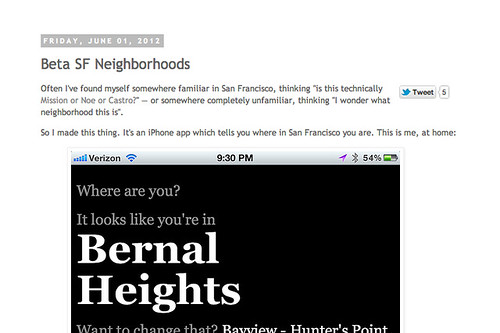
Often I've found myself somewhere familiar in San Francisco, thinking "is this technically Mission or Noe or Castro?" — or somewhere completely unfamiliar, thinking "I wonder what neighborhood this is".

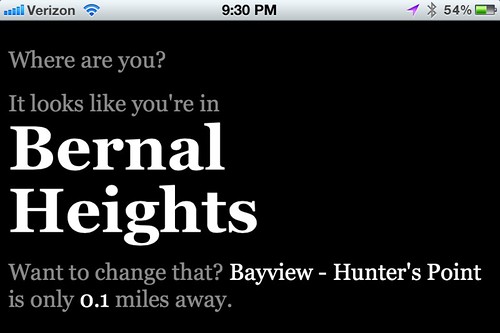
So I made this thing. It's an iPhone app which tells you where in San Francisco you are. This is me, at home:

Home

It doesn't show you a map, or tell you the history of the neighborhood, or link to Wikipedia, or provide droll stereotypes or give you vital stats like population or elevation or weather. It just tells you what neighborhood you're currently in—and how far you are from the closest adjacent neighborhood. That's it.

I say "iPhone app" and I mean that in the same sense that Steve Jobs did in 2007 when he announced that the iPhone would support third-party apps. It's a web page.

Add it as a bookmark to the home screen, though, and it's pretty app-like. It works like this

It's barely even a beta; more of a steel thread. But hey, have at it: visit isaa.ch/sf on your iPhone, and add a bookmark to your home screen.

Some limitations, even within the admittedly narrow feature scope:

  • you pretty much have to be in San Francisco for it to be of any use;
  • if you're not in San Francisco then not only will it be no use but the distance calculation (which depends on a pretty rough and ready approximation from spherical to planar geometry) will become less accurate the further you are away; and
  • error cases aren't handled terribly gracefully.

That said, I use it myself all the time and find it useful. Next steps are probably factoring the code into something sane and putting it on Github. Don't hold your breath.

Monday, May 14, 2012

#newtwitterhq

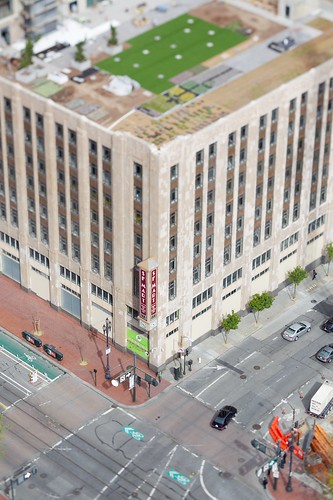
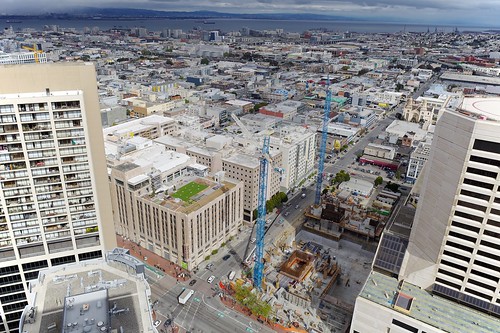
The New Twitter HQ has been in the news recently, and we'll be moving in soon.

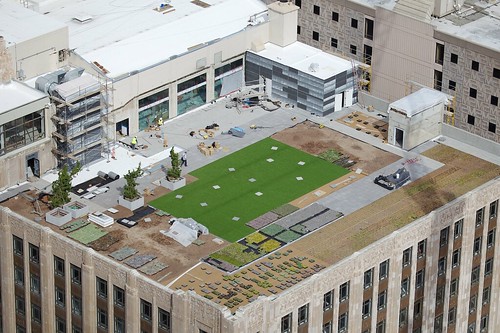
I've been lucky enough to get a few sneak peeks in the last few months. Thanks to the supportive facilities, executive and comms teams I've been able to visit regularly and share pictures of the build-out from January, February, March and May. Somehow it didn't quite happen in April.

My most recent visit had a new aspect, though: I was able to take some shots of the exterior from the roof of a nearby tower. From thirty floors up, I took this

#newtwitterhq
and this
#newtwitterhq
and this
#newtwitterhq roof

I snapped a few more from the top of that tower, though, and those—as well as an update on the Neighborhoods App, are to come.

Monday, April 30, 2012

San Francisco Neighborhoods

I've lived in this city for nine seven years now. It's the best place I've ever lived. About the same population as Frankfurt, same land area as Cambridge, pretty much as sunny as Denver, similar cultural diversity to that of London, and by now it feels more like home than my original hometown Sheffield.

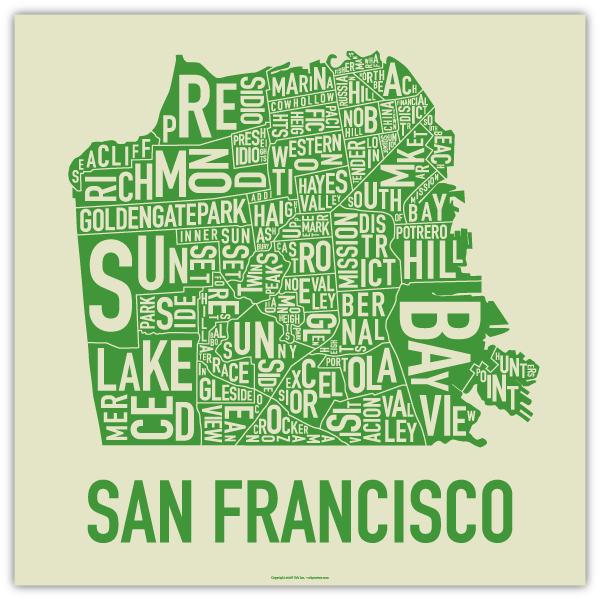
I find the neighborhoods endlessly fascinating, too. The neat-o posters:

the microclimates and sub-microclimates, now with an associated iPhone app:
The app provides a detailed listing of the temperature, cloud cover, wind speed and chance of precipitation for 17 different San Francisco microclimates. Developer Michelle Sintov came up with the idea during her daily bike commute from the Richmond to SoMa. "I'd hit Divisadero Street and suddenly see the sun," she told [us] with a laugh.

- New iPhone App Shows Weather Forecasts For Every Neighborhood In San Francisco, Huffington Post
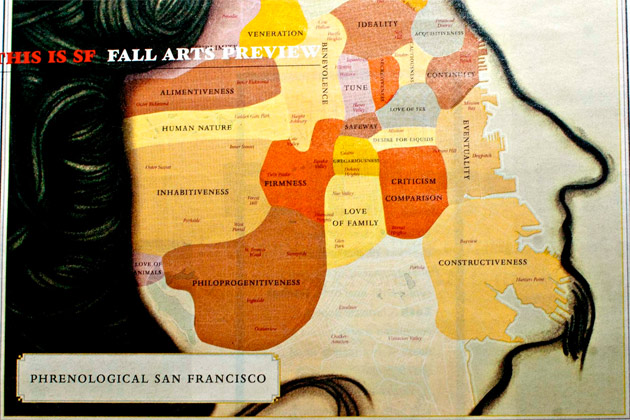
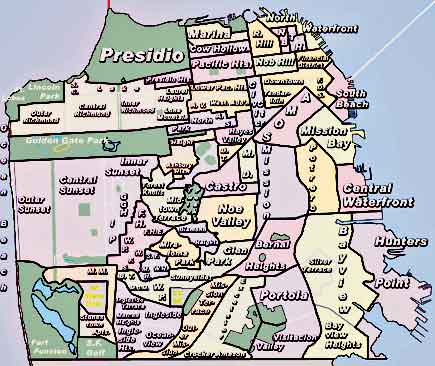
the passionate upstart neighborhood-wannabes and the enormous diversity of opinions on what the neighborhoods are, from the sublime to the unreadable.

The boundaries between neighborhoods are interesting in particular. Where exactly does 18th Street, going East to West, transition from Dogpatch to Potrero to Mission to Mission Dolores to Castro to Upper Market? What precise shapes to these perfectly tessellating areas take?

Obviously the notion of neighborhood borders as zero-width lines is a fiction. Nonetheless it's a fiction with significant appeal to someone with a mathematical background and an Aspergic heritage. I've often found myself somewhere familiar in San Francisco, thinking "is this technically Mission or Noe or Castro?" — or somewhere completely unfamiliar, thinking "I wonder what neighborhood this is".

So I made this thing. It's an iPhone app which tells you where in San Francisco you are. This is me, at home:

Home

It doesn't show you a map, or tell you the history of the neighborhood, or link to Wikipedia, or give you vital stats like population or elevation or weather. It just tells you what neighborhood you're currently in—and how far you are from the closest adjacent neighborhood. That's it.

Next time: how it works and how I made it. And if, in the meantime, you live in San Francisco and you're interested in trying it out for me, let me know.

the best idea I had to reject from an early tester was listing imports and exports of the neighborhood, eg. "Mission District. Imports: cheap beer; Exports: hipsters"

Tuesday, March 20, 2012

Multiple Chromes

Same disclaimer as last time: I worked at Google for years. I left voluntarily, and still consider myself extremely fortunate to have worked there. I'm very lucky to count many current Googlers amongst my friends, etc etc.

Update (March 20th): some are saying that the latest Chrome includes a working multi-account feature. In actual fact, as far as I can tell, this bug with 2-factor has never been addressed. Still, some claim to have this working.

A little while ago I ranted about trying to use multiple Google accounts with Google services in a single Google browser. Google claims that this stuff is supported but it's plainly not. The fact that they make this lie is probably the second most frustrating thing about the whole situation; the most frustrating thing being that it doesn't work in the first place.

With a calm reasonableness which was itself infuriating, Matt suggested just using two browsers (Chrome and Safari, Chrome and Rockmelt, Safari and Firefox, whatever). Obviously this is crazy, but wait:

Before you dismiss the 2 browser approach out-of-hand, consider its merits:
  1. Clear, consistent behavior - check
  2. Open a new tab, navigate to your fave Google application, be automagically signed in using the account you expect - check
  3. Spatial organization of work and play - a Good Thing
I'm not sure the behavior you expect from 'proper' multi sign-in to be, but I don't think you could expect number 2 to be supported. Drawback is, you might need to copy the odd YouTube URL from your work email to your personal Space.
Once I'd overcome what Matt called my "righteous indignation" I decided to give it a go. Rather than actually different browsers, though, I figured I'd use side-by-side "work" and "personal" Chrome instances—using different profiles.

And, cutting to the chase, I confess that it's indeed a solution effective enough that the problem is no longer near the top of my list of computing annoyances. That's a score, I guess, and here's how I did it.

First of all I found DeWitt's "Chrome Profiles on OS X" guide (the core idea), and ark's "Multiple Google Chrome Profiles on OS X" (a different approach). I took a look at both and eventually ended up with this script:
I made this into an executable on my path called make-a-chrome. You can use it like this:
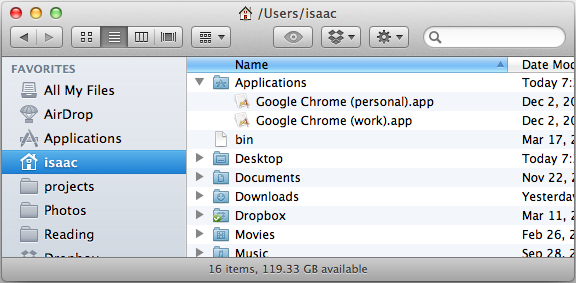
Screen Shot 2012 03 20 at 7 35 25 PM
Look at that! Two independent Google Chrome apps in ~/Applications.
Screen Shot 2012 03 20 at 7 40 31 PM

The icons are just the default "no icon" icon but you can fix that by assigning whatever icons you like. More annoying than that is the fact that both have the same icon in the Application Switcher:

2012 03 20 07 49 10 pm
and the best I've got on that front is that hey, you get used to it. Send fixes if you know of them.

But hey, you've got two side-by-side independent Chrome instances. Each has its own history, bookmarks, cache, cookies, tabs, autofills, saved passwords, themes, extensions… it works great. One pro tip I can offer is to install different themes for each instance so you can tell them apart at a glance. I used some kind of brushed metal thing for work:

Screen Shot 2012 03 20 at 20 06 20 PM
and a pencil drawing thing for personal:
Screen Shot 2012 03 20 at 20 06 23 PM

The only other thing to realize is that the first-launched instance grabs the OS-level http(s):// protocol handler. For what it's worth, I launch my personal instance first so that clicks from Twitter.app (my main source of clicks into Chrome) launch a new tab in Chrome (personal)

I know, I know. Google should just fix this issue—or at the very least confess to it. The default situation is infuriating indeed. And while my indignation remains, my daily browser pain has pretty much disappeared. In practice the above solves the problem pretty well. Best of all, it's highly predictable. That alone is worth a lot.

Thanks Matt.